PLAN & PAINT · HOMEOWNER GUIDE
Preview Exterior Paint Colors on Your Own Home
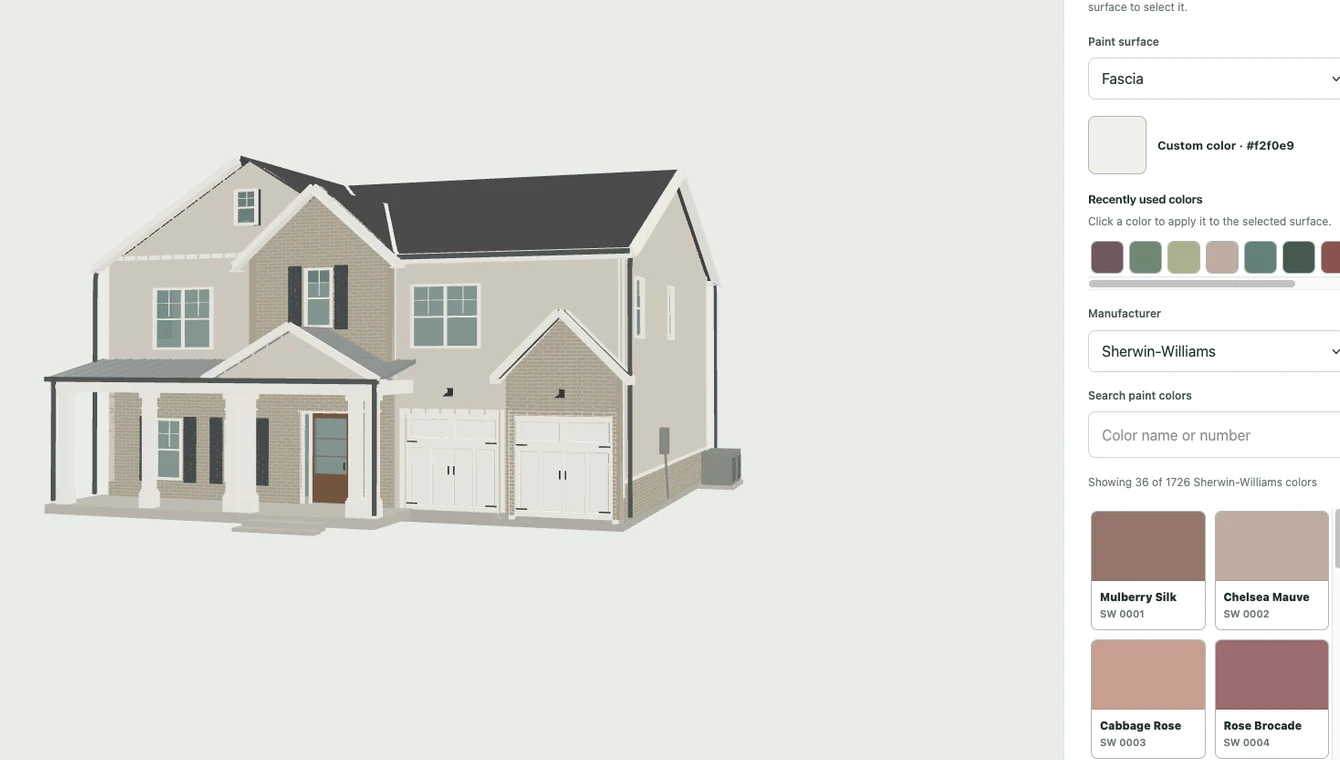
Plan & Paint turns exterior photos of your home into an approximate, paintable 3D model. Once our team approves it, you can try colors on individual surfaces and save combinations before choosing paint.
Your own home: $4.99 USD, one time. No subscription.
Includes one exterior 3D model, prepared and reviewed by our team, saved color combinations, color sheets, and 180 days of studio access starting when your model is approved.
Each project includes 5 realistic front-view previews from your photo or blueprint elevation. Optional extra previews: 3 for $4.99. Each new image uses one preview; failed attempts return it. Extra packs are for the same home and do not extend studio access.
Optional interior (Beta): +$9.99 ($14.98 total). Blueprints required.
The sample demo is free, with no account or card needed. For your own home, create an account, pay for your project, then upload photos or blueprints. Creating an account does not charge you.
How your photos become a paint preview
- Start your home project. Choose exterior photos or blueprints. Complete the project payment or apply an available free home credit.
- Upload and submit your source material. For photos, include the front, back, both sides, and useful corner views. Uploading a draft alone does not submit it.
- Wait for preparation and manual review. We generate the model and check it before opening your studio. We’ll email you once approved, or if we need more information. Review times vary.
- Explore your colors. Open the studio, select paintable surfaces, and compare siding, trim, and door combinations. Save favorites and create color sheets to share.
- Finalize and see your photo. Confirm your colors and front photo to create a downloadable paint preview using one credit.
Your final colors on your actual home
Choose “Photo generate” in the editor once you like your colors. Select your original front photo or, for a blueprint project, the PDF page showing the front elevation. Confirm your selection to use one rendering credit. Compare the before and after, then download your paint preview.


5 realistic front-view previews included with each homeowner project. Optional extras: 3 for $4.99.
Each new image uses one credit; failed attempts return it. Viewing and downloading saved images use none. Previews use your original front photo or blueprint front elevation and require active studio access. Extra packs apply to the same home and do not extend access. Confirm colors with physical paint samples.
What the preview can help you decide
Use the model to compare the overall relationship between your main color, trim, and accents. Try one change at a time so you can see what each choice contributes. Your 180 days of studio access begin after the model’s first approval.
What it cannot promise
A photo-based model is an approximation, not a measured architectural survey. Hidden areas and small details may be simplified. Screen colors also differ from real paint under changing light, so confirm your shortlist with physical samples before buying paint.
Do I need blueprints?
No. Exterior projects can start from photos. Blueprints are another option, and detailed floor plans are required for the optional interior modeling workflow.
Can I try it before creating my own model?
Yes. Open the free demo house to try the painting controls. No custom home upload is needed for the demo.